New: PureLab

Making AI and complex workflows effortless.

Efficient Lab crafts high-quality audio tools, imaging utilities, and AI productivity apps. We encapsulate extreme technical complexity into stable, intuitive digital products that create real value.

PureLab app interface — an industrial-grade local audio governance and next-gen asset workstation

Core products

Browse products
PureLab · Local music and sound-effect asset manager for Mac and Windows: AI tagging, batch organizing, safe writeback
Mac App StoreMicrosoft Store

PureLab

Local music and sound-effect asset manager for Mac and Windows: AI tagging, batch organizing, safe writeback

PureLab is for music collectors, DJs, producers, and sound designers. It scans your local music library and asset library, analyzes BPM, key, genre, mood, instruments, and true source quality on your machine, then hands the results back as drafts for you to confirm before writing them into the files. Batch renaming, CJK text conversion, artwork and lyrics embedding, BWF metadata, UCS classification, and Excel round-trips all happen in the same workbench. Every writeback is logged in history: roll back a single file or restore the whole library from a snapshot. New in 6.0: AI Assistant lets you issue organizing commands in plain language with your own model key.
PureDSD Batcher · Batch-extract a whole folder of SACD ISOs into tagged DSF files
Mac App StoreMicrosoft Store

PureDSD Batcher

Batch-extract a whole folder of SACD ISOs into tagged DSF files

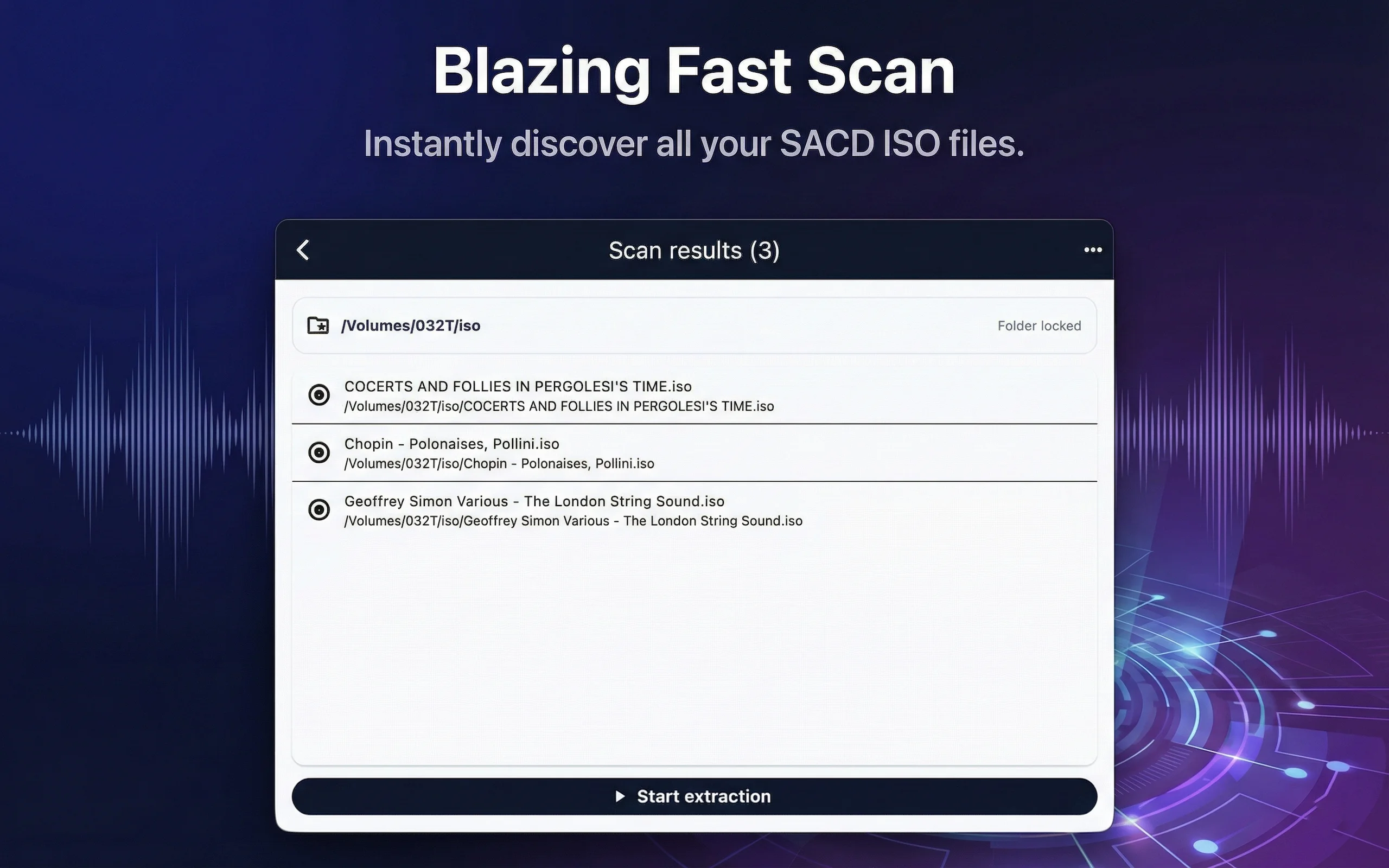
PureDSD Batcher extracts SACD ISO images into DSF files. Pick a folder and it finds every ISO inside, queues them, and extracts them one at a time. Each ISO's output lands in a separate folder next to it: DSF tracks, a CUE file, and tags written as ID3v2.4, ready for your player to read. ISOs that extracted successfully are skipped automatically next time. Everything happens locally; no network and no account needed.

PurePlayer Hi-Res · Hi-Res local music player for iPhone, iPad, and Mac, with Bit-Perfect, DSD, and NAS / cloud library support
App Store (iOS / macOS)

PurePlayer Hi-Res

Hi-Res local music player for iPhone, iPad, and Mac, with Bit-Perfect, DSD, and NAS / cloud library support

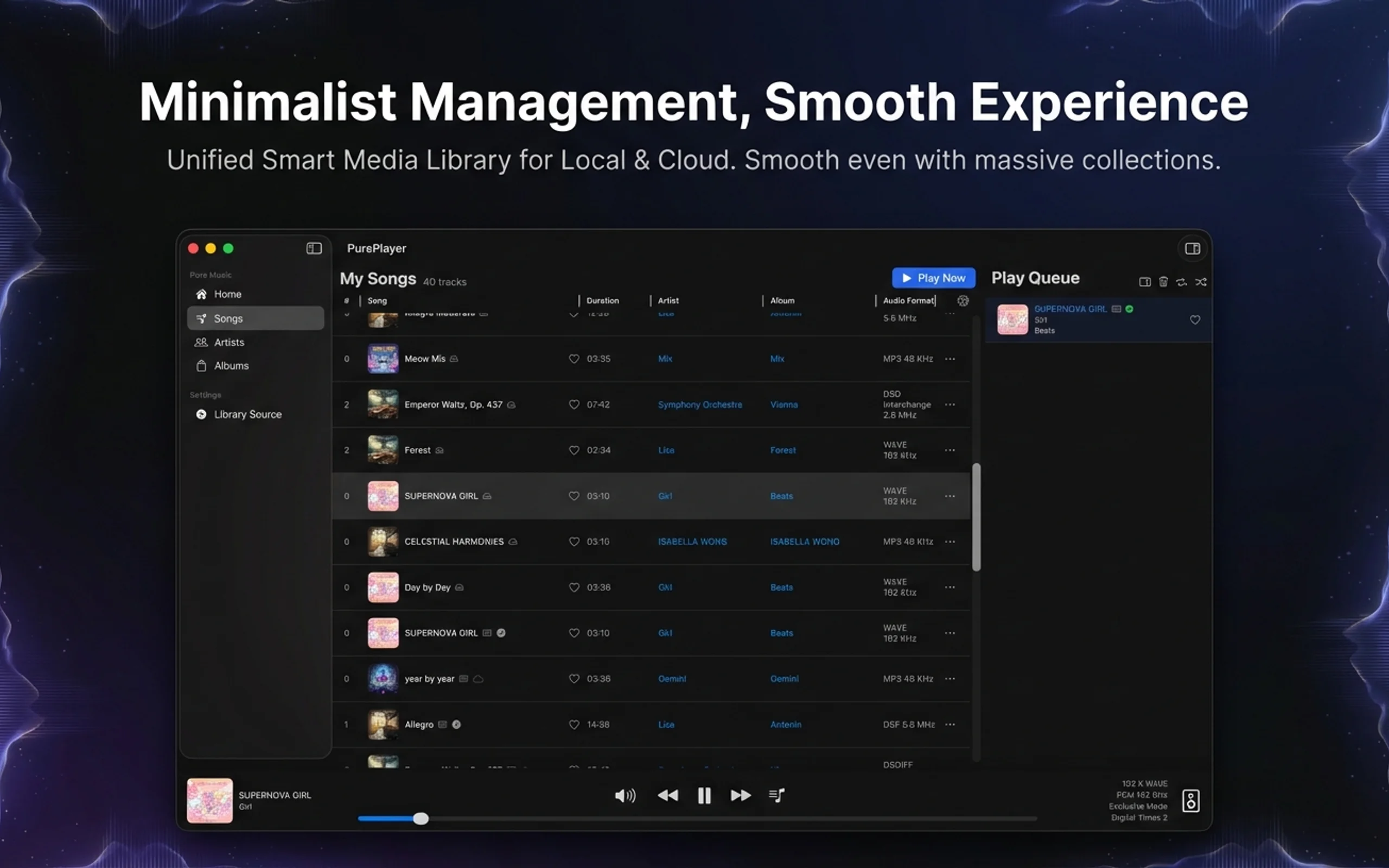
PurePlayer plays your own music files from local folders, NAS, WebDAV, SMB, Google Drive, and Baidu Netdisk. Version 6.0 rebuilt the interface and the performance core, so a library of a hundred thousand tracks still scrolls and searches smoothly. It supports Bit-Perfect output, native DSD passthrough, gapless playback, and a parametric equalizer, and includes Chat with Music, which picks tracks from your library into the queue when you describe a mood or a scene in one sentence.

LumiSift · On-device AI photo culling for Mac and Windows: find duplicates, near-duplicates and rejects, keep the best frame
Mac App StoreMicrosoft Store

LumiSift

On-device AI photo culling for Mac and Windows: find duplicates, near-duplicates and rejects, keep the best frame

LumiSift cleans up a photo folder: it finds duplicate and similar photos and sorts them into groups, flags blurry, overexposed and underexposed rejects, then you decide which frame each group keeps. Quick Scan handles thousands of photos in seconds; Prime Mode uses an AI vision model to spot similar shots taken from different angles and in different light. All computation runs on your machine; rejected photos move to a trash folder in the same directory, so you can always get them back. The subscription tier also ships a command-line tool you can plug into a photography post-production pipeline.

LumiLab · Local-first AI photo management for Mac and Windows: diagnosis, cleanup, people recognition and metadata
Mac App StoreMicrosoft Store

LumiLab

Local-first AI photo management for Mac and Windows: diagnosis, cleanup, people recognition and metadata

LumiLab is built for photography enthusiasts and people with years of family photos. It indexes your photos where they already live (it doesn't move, copy or upload the files), then runs a diagnosis of the whole library: how many duplicates, similar shots, bursts and screenshots there are, and how much space you could free. From there you can clean up by quality and similarity, group photos by person with face recognition, and batch-edit titles, tags, copyright and more. All AI inference runs on your machine; metadata is written to XMP sidecar files next to the photos, the originals are never touched, and every change can be undone.

Pure audio product line

Play · Convert · Repair · Separate · Govern — eight Pure tools covering the whole audio workflow

The Pure music system · three pillars

Tag it, serve it, play it — a local-first personal music system

01

The songs you have been collecting for fifteen years: half the covers missing, one artist spelled three ways, a single album scattered across four folders.

PureLab sits down and claims them back one by one—fills in the tags, listens for tempo, key, and mood, and writes it all into the file. Whatever drive they end up on, these songs will know who they are.

02

A hotel room on a work trip, a late train home, a friend’s living room.

PureStream runs on the computer back home and gathers the music on your drives, NAS, and cloud into one library that follows you anywhere—no domain to buy, no public IP, no fighting the router. Open it and all your music is there.

03

Someone recorded this music with care; the last mile should not quietly change it.

PurePlayer does one thing: it carries the sound in the file, untouched, to your headphones and speakers—no resampling, nothing added. Phone, Mac, or TV, it is the same song everywhere.

04

AI is not here to show off.

It listens to your collection over and over and learns the temperament of every song—so the night you say “something quiet tonight”, it knows exactly which one to play.

Pure system map: PureLab tags and analyzes → PureStream serves your library locally → PurePlayer plays bit-perfect; three AI agents below handle audio analysis, conversational organizing, and music findingYour music filesLocal diskNAS / SMBWebDAV / cloudPureLabLiveTag · analyze · write backTag cleanupBPM / key / moodEmbeddings into metadataClean tags + analysis metadataPureStreamIn developmentYour own music serverMany sources → one libraryIndex · search · streamOpenSubsonic-compatibleLAN · Pure TunnelNo domain, public IP, or portforwardingPurePlayerLiveBit-perfect playbackHi-Res / DSD passthroughGaplessiOS · macOS · tvOSTHREE AI AGENTSAudio analysis agentUnderstands the music: BPM · key· mood · similarityOrganizing agentUnderstands your request:sentence → tool calls → draft“Unify this batch’s genres intoEnglish”Music-finding agentUnderstands you: a sentence →intent → vector search → queue“Something quiet and jazzy for anight alone”

PureLab

Live

Tag · analyze · write back

Works on the assets themselves: batch-clean tags, repair metadata, run deep analysis (BPM, key, mood), and write the results—including audio embeddings—straight back into the files' metadata so the analysis travels with your music.

Explore PureLab

PureStream

In development

Your own music server

Runs on your own Mac or PC: aggregates local disks, NAS, WebDAV, and cloud drives into one library; handles indexing, search, streaming, and transcoding; speaks OpenSubsonic. Pure Tunnel reaches it from anywhere—no domain, public IP, or port forwarding to set up.

Ask for it by email

PurePlayer

Live

Bit-perfect playback

The listening end on iOS, macOS, and tvOS: Hi-Res and DSD passthrough, gapless playback, exclusive output. Discovers PureStream automatically on the LAN and switches to the tunnel when you leave—same media protocol, shortest possible signal path.

Explore PurePlayer

Three agents, three jobs

Audio analysis agent

The analysis agent inside PureLab and PureStream understands the music: it produces BPM, key, mood, instrument, and similarity features plus embeddings, written into metadata or the server index.

Organizing agent

The organizing agent inside PureLab understands what you want done: it turns natural language like “unify this batch’s genres into English” into filter and edit actions, calls PureLab’s tools to build a draft, shows you every field, and only writes back once you confirm. It uses your own OpenAI-compatible endpoint and API key.

Music-finding agent

The music-finding agent inside PurePlayer understands you: it turns natural language like “something quiet for tonight” into a retrieval intent, resolves it against PureStream’s vector index, and loads the queue.

Facts, not slogans

13

Public product catalogue

A catalogue spanning audio, imaging, privacy, and data tools.

3

Supported platforms

Listed on macOS, iOS, and Windows stores.

100%

Local-first

On-device AI with no cloud relay—documented per product.

efficient-lab.com

Direct support

Reach the studio at [email protected].

Multi-track product roadmap

Audio governance & processing

PureLab governs local audio assets, PureSpleeter separates stems on-device, and PureDSD Batcher extracts SACD ISO archives in batches.

Playback & conversion

PurePlayer Hi-Res reached its v6.0 milestone; PureConvert and PureConvert Pro cover everyday and pro batch conversion.

Imaging & AI

LumiSift cleans massive photo libraries with 100% local AI, while LumiLab delivers local-first library diagnosis, cleanup, selection, and metadata writeback.

Latest articles

An ongoing record of product notes, dev logs, and technical writing.

View all articles
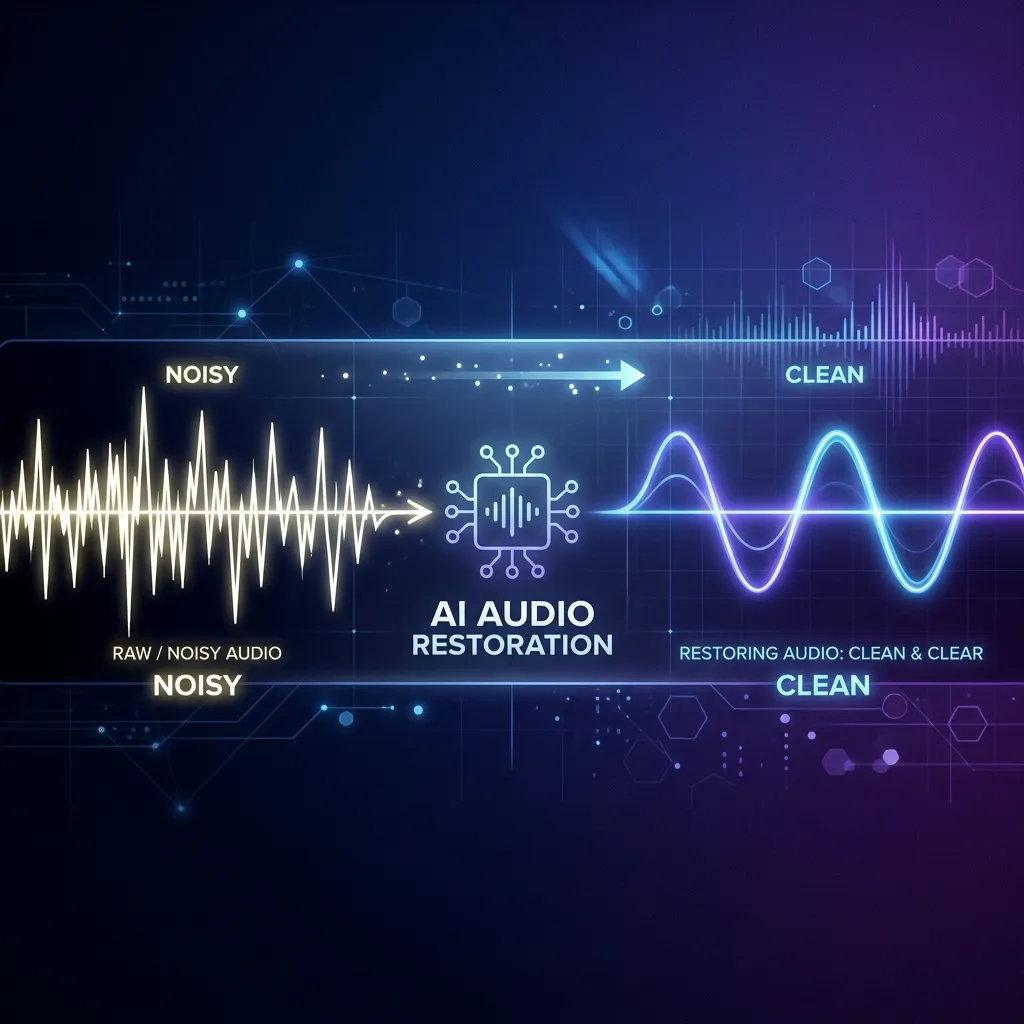
Put on your headphones: Real-world before-and-after comparisons with Pure Refine and Pure Restore
Pure SeriesListening DemoPure RefinePure Restore

Put on your headphones: Real-world before-and-after comparisons with Pure Refine and Pure Restore

Nothing proves what an audio algorithm can do quite like hearing it for yourself. Here are four real-world listening comparisons from public recordings: two noisy voice tracks cleaned up with Pure Refine's combined denoising and dereverberation, and two vintage clips restored with Pure Restore's spectral repair. Same recording, instant comparison.

EXPLORE NOW
PurePlayer Read Mirror Benchmarks: Sub-Second Deep Paging Across 500,000 Tracks
Pure SeriesPurePlayerPerformanceLarge Libraries

PurePlayer Read Mirror Benchmarks: Sub-Second Deep Paging Across 500,000 Tracks

PurePlayer introduces a dedicated read-only SQLite mirror for massive libraries. In a 500,000-track test environment, deep paging drops to under one second and A-Z index jumps complete in single-digit milliseconds. Initial index creation takes approximately 30 minutes and requires about 2GB of local storage, with full user control in Settings.

EXPLORE NOW
PureStream Subsonic Server Benchmarks: 69µs Main Enumeration Across 500,000 Tracks
Pure SeriesSubsonicPerformance BaselinePureStream

PureStream Subsonic Server Benchmarks: 69µs Main Enumeration Across 500,000 Tracks

PureStream conducted baseline performance testing on core Subsonic server read paths with a 500,000-track library: main enumeration executes in 69 microseconds, deep paging at offset 250k takes 25 milliseconds, and genre filtering completes in 113 microseconds. The benchmark also isolates and measures computational overhead in artist deduplication and genre aggregation.

EXPLORE NOW

How we work

Real products, real screenshots

Core products on the homepage use genuine UI screenshots—no fabricated images. The full catalogue is on the products page.

Local-first, private by default

PureSpleeter separates stems 100% on-device, PureLab processes 100% offline, LumiSift cleans 100% locally—AI work never leaves your device.

Iterating from real feedback

PurePlayer just shipped its v6.0 milestone; [email protected] is how we collect real feedback.

Ready when you are.

Browse the full 13-product catalogue, or talk to the studio about custom software and collaboration.

Business: [email protected]