The Pure Audio Line

Eight Pure tools cover the whole audio workflow — playback, conversion, repair, separation, and governance — all running locally on your devices.

Playback

Hi-Res local music player for iPhone, iPad, and Mac, with Bit-Perfect, DSD, and NAS / cloud library support

Apple

PurePlayer Hi-Res

PurePlayer plays your own music files from local folders, NAS, WebDAV, SMB, Google Drive, and Baidu Netdisk. Version 6.0 rebuilt the interface and the performance core, so a library of a hundred thousand tracks still scrolls and searches smoothly. It supports Bit-Perfect output, native DSD passthrough, gapless playback, and a parametric equalizer, and includes Chat with Music, which picks tracks from your library into the queue when you describe a mood or a scene in one sentence.

  • Interface rebuilt — 6.0 gives iPhone, iPad, and Mac one shared visual language. Playback gestures, list layouts, capsule pickers, and empty-state guidance were all reworked, so even a large library stays easy to navigate.
  • Performance rebuilt for large libraries — Library scanning, sorting, and filtering all run on background threads. Play-all and queue restore are planned in bounded windows instead of loading the whole library into memory at once. Browsing and search stay responsive on six-figure collections.
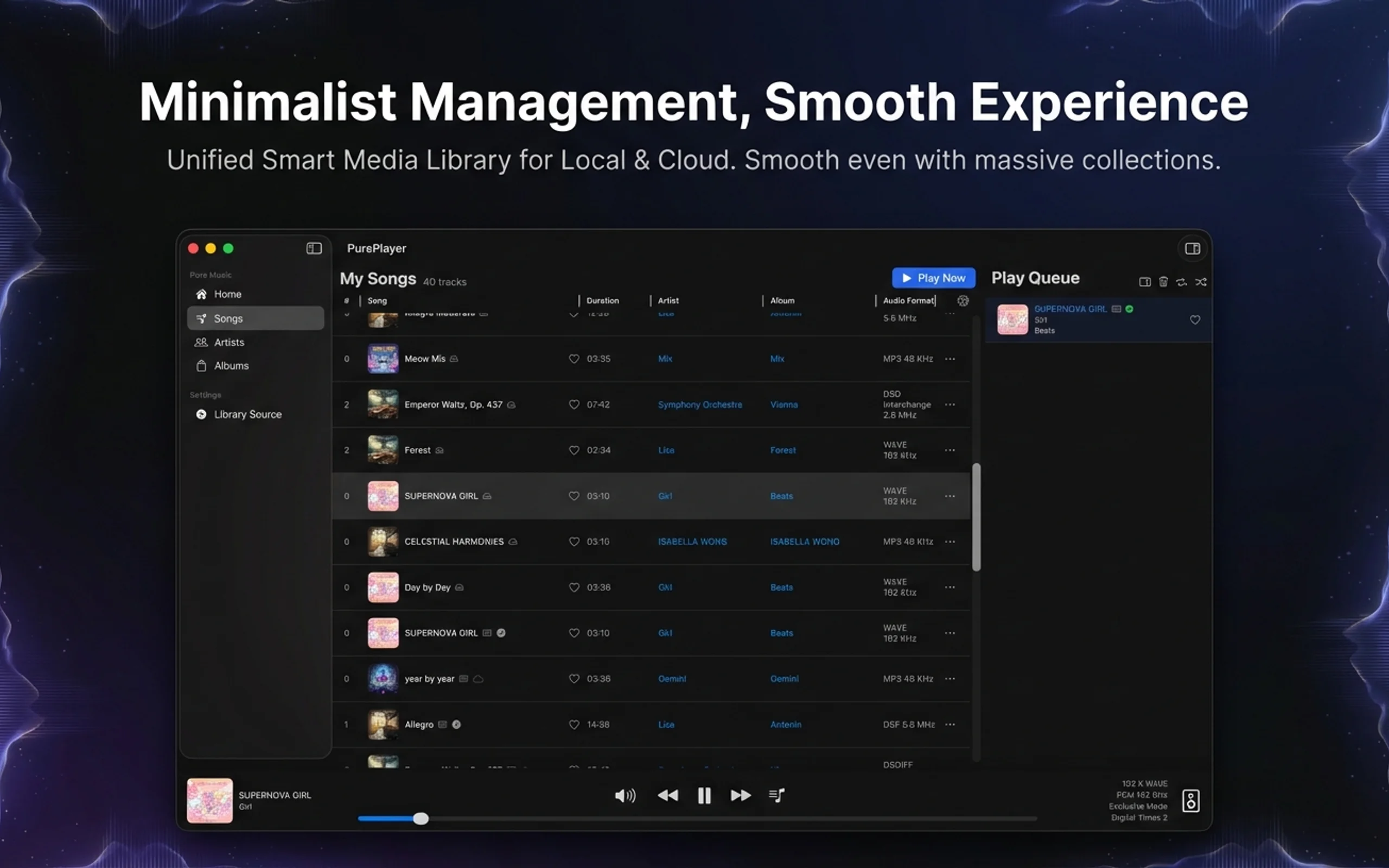
PurePlayer Hi-Res · Hi-Res local music player for iPhone, iPad, and Mac, with Bit-Perfect, DSD, and NAS / cloud library support

Convert

Free batch audio converter: convert a whole library while keeping tags, covers, and DSD-to-PCM support

Apple
Windows

PureConvert Batcher

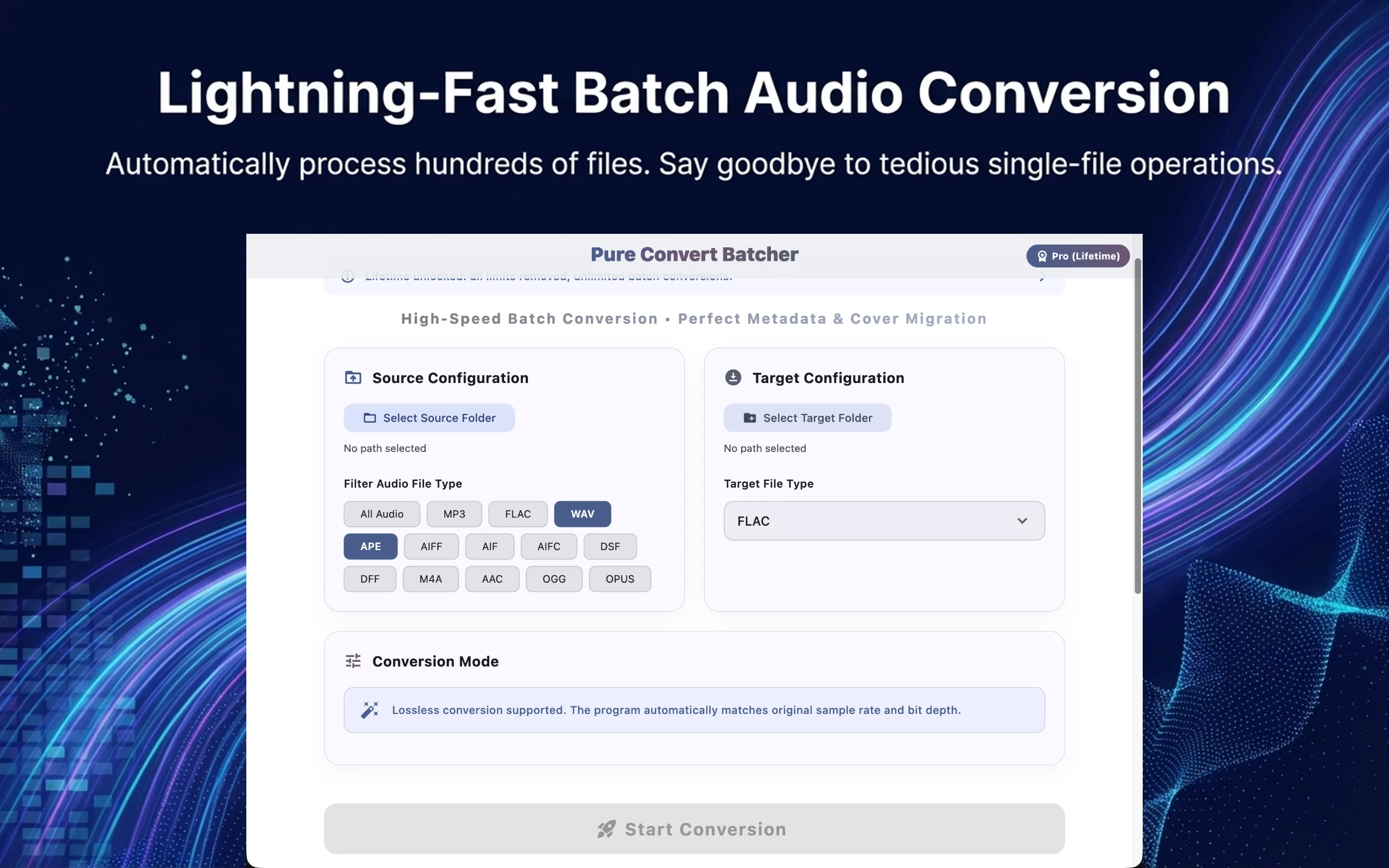
PureConvert Batcher batch-converts the music in a folder into another format, keeping the subfolder structure exactly as it was and copying tags and covers along. It outputs MP3, FLAC, M4A, WAV, OGG, Opus, and AIFF, and can turn DSD (DSF / DFF) into PCM at your choice of sample rate and bit depth. When an intact file with the same name already exists at the target, it gets skipped, so repeated runs never redo work. Completely free, with no count or usage limits, and all processing stays on your machine.

  • Whole-folder batch conversion — Pick a source folder and a target folder; every subfolder is scanned recursively, and the output keeps the same directory structure at the target.
  • Seven output formats — MP3, FLAC, M4A, WAV, OGG, Opus, AIFF. Input supports all of those plus AAC, APE, and DSD (DSF / DFF).
PureConvert Batcher · Free batch audio converter: convert a whole library while keeping tags, covers, and DSD-to-PCM support

Batch audio processing for delivery: convert formats while denoising, normalizing loudness and trimming silence, plus a CLI

Apple
Windows

PureConvert Pro

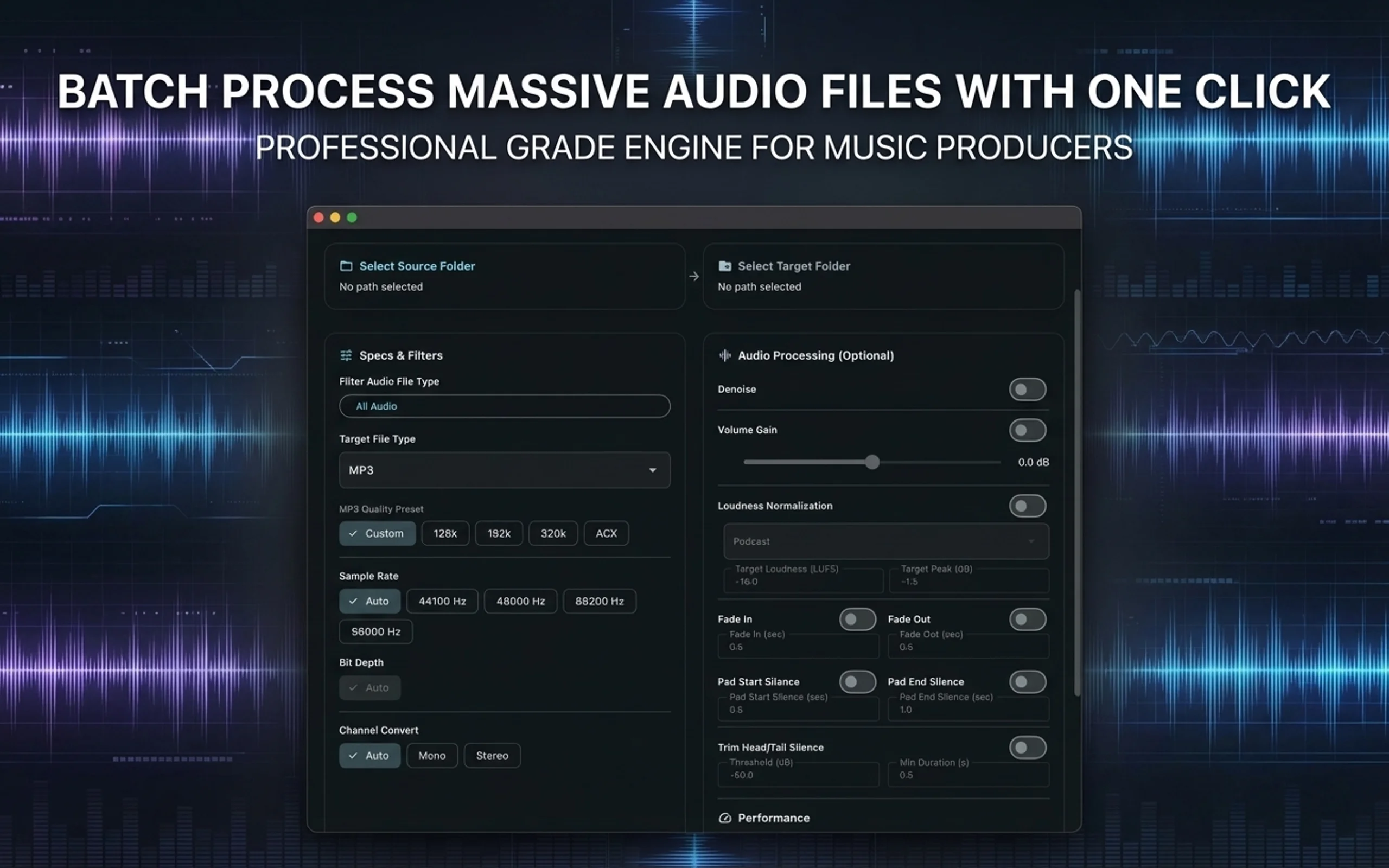
PureConvert Pro adds the processing you usually do before delivery to PureConvert Batcher's batch transcoding: denoise, head/tail silence trimming, fades, padding, channel conversion, volume gain and loudness normalization. Loudness presets cover podcast, streaming, broadcast and ACX audiobooks, or set your own target loudness, true peak and loudness range. Parameters set in the interface can be copied as a command line; subscribers can run the whole pipeline inside scripts and automation.

  • Batch transcoding — Everything PureConvert Batcher does: whole folders processed in batch with the directory structure preserved, seven output formats, tags and artwork copied along, DSD-to-PCM, and finished files skipped automatically.
  • Loudness normalization — Presets for podcast (-16 LUFS), ACX audiobooks (-20 LUFS), music streaming (-14 LUFS) and broadcast (-23 LUFS), or set your own target loudness, true peak and loudness range.
PureConvert Pro · Batch audio processing for delivery: convert formats while denoising, normalizing loudness and trimming silence, plus a CLI

Repair

Local audio restoration for Mac and Windows: repair recordings with hiss, noise, and missing frequency ranges

Apple
Windows

PureRestore

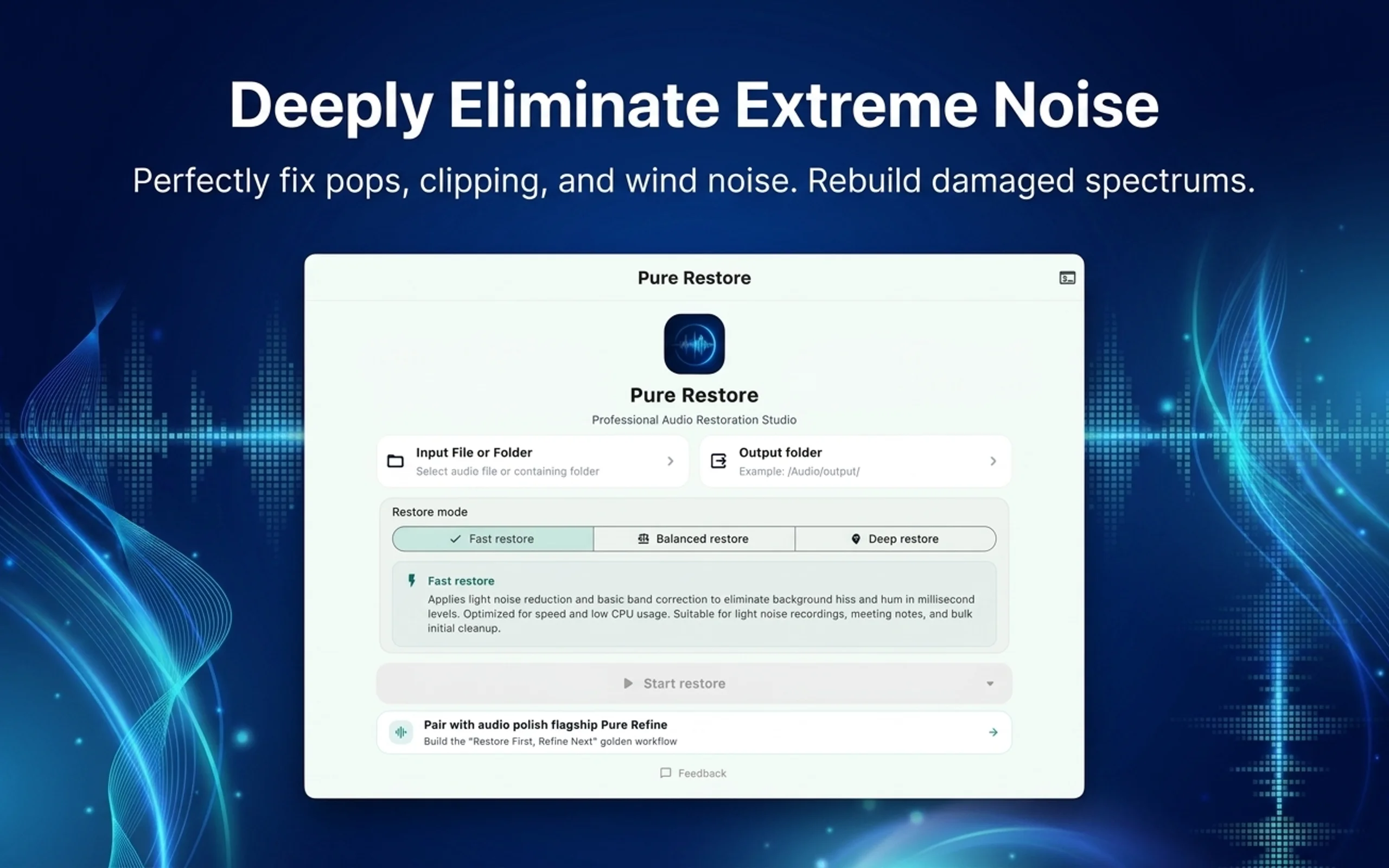
Some recordings have more than a bit of noise: poor equipment, low bitrates, cut-off highs, heavy hiss and noise floor make them sound muffled and muddy. PureRestore uses an AI model to rebuild the missing and damaged parts of these recordings so the voice becomes clear again. It offers three restoration modes and handles single files or whole folders. The model installs with the app, all processing happens on your computer, and no network is needed.

  • High-frequency restore — Filters out high-frequency noise and hiss first, then applies standard restoration. Worth trying first on recordings with obvious hiss or electrical whine.
  • Balanced restore — The default mode: standard restoration, suitable for everyday work on most recordings.
PureRestore · Local audio restoration for Mac and Windows: repair recordings with hiss, noise, and missing frequency ranges

Local voice denoising and de-reverb for Mac and Windows

Apple
Windows

PureRefine

PureRefine handles two common problems in voice recordings: background noise (wind, air conditioning, electrical hum, keyboard clicks) and room reverb (echo in empty rooms and meeting rooms). Pick a file, check denoise, de-reverb, or both, and it produces a new audio file while the original stays untouched. The AI model runs on your computer; it downloads once on first use and works offline after that.

  • Voice Cleaner (denoise) — Removes constant background noise and ambient sound behind speech, such as wind, insects, air conditioning, electrical hum, and keyboard clicks, while keeping the detail of the voice itself.
  • Reverb Remover (de-reverb) — Reduces echo from empty rooms and untreated meeting rooms, making the voice sound closer to the microphone.
PureRefine · Local voice denoising and de-reverb for Mac and Windows

Separate

Local stem separation for Mac and Windows: split a song into vocals, accompaniment, drums, bass, and more

Apple
Windows

PureSpleeter

PureSpleeter takes a finished song and separates it into individual stems. You can split out just vocals and accompaniment, get four tracks with vocals, drums, bass, and other instruments, or go further and isolate guitar and piano for six stems. The separation model installs with the app and all processing happens on your computer, so it works offline too. Queue a whole folder for processing, or drive it from the command line in your own scripts. Paid download; everything is included after purchase.

  • Vocal / Accompaniment (2 stems) — Splits into a vocal file and an accompaniment file. Enough for backing tracks, cover recordings, and sing-along practice.
  • Standard 4-stem — One track each for vocals, drums, bass, and other instruments. Good for transcribing, remixing, or practicing along without the drums or bass.
PureSpleeter · Local stem separation for Mac and Windows: split a song into vocals, accompaniment, drums, bass, and more

Govern

Local music and sound-effect asset manager for Mac and Windows: AI tagging, batch organizing, safe writeback

Apple
Windows

PureLab

PureLab is for music collectors, DJs, producers, and sound designers. It scans your local music library and asset library, analyzes BPM, key, genre, mood, instruments, and true source quality on your machine, then hands the results back as drafts for you to confirm before writing them into the files. Batch renaming, CJK text conversion, artwork and lyrics embedding, BWF metadata, UCS classification, and Excel round-trips all happen in the same workbench. Every writeback is logged in history: roll back a single file or restore the whole library from a snapshot. New in 6.0: AI Assistant lets you issue organizing commands in plain language with your own model key.

  • Two workbenches: music library and asset library — The music library and the sound-effect asset library are managed separately, each with its own views and columns. Mount multiple disks and folders; the virtualized table scrolls, multi-selects, and edits smoothly with hundreds of thousands of rows.
  • Local audio analysis — Computes BPM, key, and Camelot code; AI tags genre, sub-style, mood, and instruments. Take the top guess or the top three. Analysis depth can be quick sampling or segmented full-track analysis.
PureLab · Local music and sound-effect asset manager for Mac and Windows: AI tagging, batch organizing, safe writeback

Batch-extract a whole folder of SACD ISOs into tagged DSF files

Apple
Windows

PureDSD Batcher

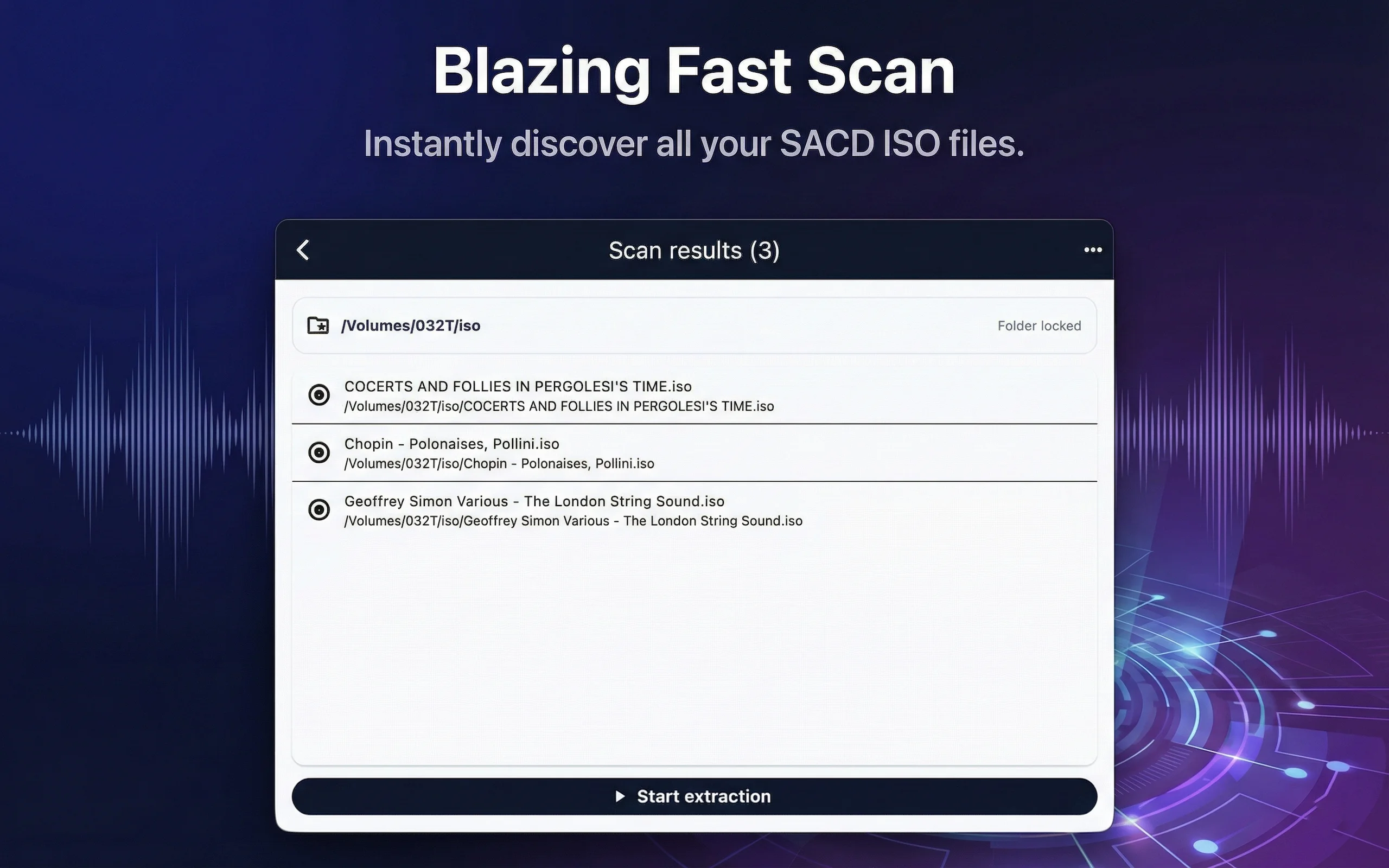
PureDSD Batcher extracts SACD ISO images into DSF files. Pick a folder and it finds every ISO inside, queues them, and extracts them one at a time. Each ISO's output lands in a separate folder next to it: DSF tracks, a CUE file, and tags written as ID3v2.4, ready for your player to read. ISOs that extracted successfully are skipped automatically next time. Everything happens locally; no network and no account needed.

  • Folder batch extraction — Select or drop in a folder; the app scans it for SACD ISOs and starts extracting them in a queue as soon as the scan finishes.
  • Steady serial queue — Only one ISO is extracted at a time; the next starts after the current one finishes, avoiding parallel disk access that slows down drives or causes errors.
PureDSD Batcher · Batch-extract a whole folder of SACD ISOs into tagged DSF files

FAQ

Which audio formats are supported?
Lossless: FLAC, APE, WavPack (WV), TTA, ALAC, AIFF, WAV, CAF; lossy: MP3, AAC/M4A, OGG Vorbis, Opus, Speex (SPX), Musepack (MPC), Shorten (SHN); DSD: DSF and DFF, with DoP output up to DSD256; plus MOD, IT, XM, and S3M tracker modules.
Is PureConvert Batcher really free?
Yes. No in-app purchases, no limits on file count or runs, and every feature is available right away.
Does PureRestore upload my recordings?
No. The restoration model installs with the app and processing happens on your computer; no network is needed.
Does PureSpleeter need an internet connection?
No. The separation model installs with the app, processing happens on your computer, and audio is never uploaded. The network is only used when you open a web link.
Do PureLab's AI features need the network?
Analysis and search run on your machine and don't need the network, but the AI models have to be downloaded once. They work offline after that. Fingerprint matching queries an online database; AI Assistant connects to the model endpoint you configured. PureLab does not upload music files, project assets, or search content.